
Defect Guide
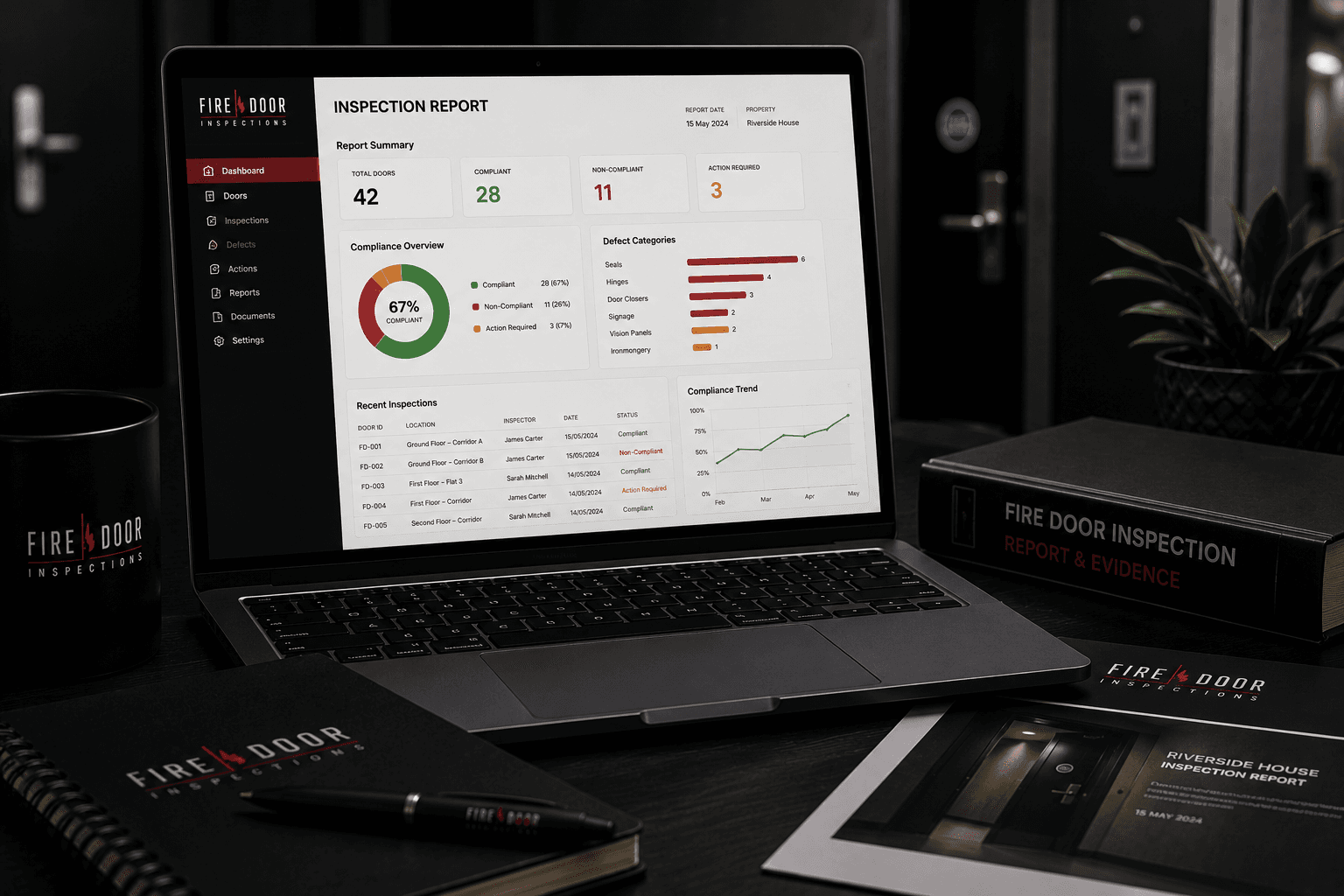
Fire Door Inspection Report Dashboard
A clear inspection report dashboard helps duty holders review fire door condition across a building or portfolio — with door references, defect categories, evidence photos and remedial priorities in one structured view. This is the reporting format customers receive after inspection, not a routine property-team checklist.
Defect Overview
What Is an Inspection Report Dashboard?
A dashboard is a structured report view summarising inspection findings, defect categories, door references, evidence photos, remedial priorities and status tracking.
For property managers, landlords, facilities managers and responsible persons, clear reporting helps turn inspection findings into practical remedial planning across single buildings or portfolios.
Risk & Impact
Why This Defect Matters
Structured reporting helps duty holders understand inspection findings and prioritise remedial action more effectively.
- Helps prioritise remedial actions
- Makes large inspection findings easier to understand
- Supports portfolio and block management
- Shows recurring defect patterns
- Helps track inspection and repair status
Inspection Notes
How Inspection Reports Are Organised
Report dashboards summarise door references, defect categories, evidence photos and remedial priorities to support clearer follow-up.
- Total doors inspected
- Defect categories and door references
- Evidence photo links or references
- Remedial priority notes
- Status or completion tracking where used
- Summary of recurring issues
Report format and content depend on inspection scope, access and the agreed reporting structure for the building or portfolio.
Visible Indicators
Common Dashboard Items
These are examples of items commonly included in a structured fire door inspection report dashboard.
Total doors inspected
A summary count helps show the scale of the inspection programme.
Defect categories
Findings may be grouped by issue type to show recurring problems.
Door references and locations
Each finding should link back to a specific door for remedial follow-up.
Evidence photo links
Photographs help support defect notes and contractor instructions.
Remedial priority notes
Priority guidance helps duty holders plan works in a logical order.
Status or completion tracking
Tracking fields help monitor progress from inspection through to close-out.
Summary of recurring issues
Pattern summaries can highlight systemic problems across multiple doors.
Remedial Planning
What Should Be Done Next?
The next action depends on inspection findings, building type and remedial capacity. A clear dashboard helps turn report data into structured follow-up.
Recommended next steps may include:
- Review the inspection summary
- Check high-priority defects first
- Assign remedial actions to suitable contractors
- Update records when works are completed
- Reinspect or close out items where required
Typical journey after a defect is recorded: inspection finding → defect noted in the fire door report → remedial works planned → re-inspection confirms the issue has been addressed where appropriate → door register or report evidence updated. See also inspection limitations and next steps after defects are found. For London bookings, see fire door inspections London.
Seeing a different visible issue? Use the Fire Door Defect Identifier to find the closest guidance and next steps.
Related Defects
Related Fire Door Defects
Other common fire door inspection defects that may be recorded alongside this issue.
Defect Guide
Defect Reporting Checklist
See how door references, photo evidence and defect notes are recorded consistently in inspection reports.
View defect guideDefect Guide
Fire Stopping Issues
Incomplete or damaged fire stopping around the frame can create pathways for fire and smoke spread.
View defect guideDefect Guide
Excessive Gaps
Gaps exceeding accepted tolerances can reduce smoke and fire separation performance.
View defect guideDefect Guide
Damaged Frames
Frame damage can affect fixing, alignment, smoke control and the fire-resisting performance of the door set.
View defect guideDefect Guide
Fire Door Regulations
Fire door requirements depend on the building type, use, risk profile and applicable fire safety duties.
View defect guide
Book an Inspection
Need Fire Door Defects Recorded Clearly?
Book a professional fire door inspection and receive clear evidence photos, defect notes and practical remedial guidance for your building.
Related Fire Door Inspection Resources
- Fire door defect identifier
- Fire door inspection defects hub
- Fire door inspection service
- Fire door reports
- Sample fire door inspection report
- Visible fire door defect checklist
- Responsible-person fire door checklist
- Fire door remedial works
- Fire door re-inspections
- Inspection limitations
- London fire door inspections
- Inspection report dashboard
- Request a fire door inspection quote